
Your Google ads, done for you.
Enter your website. PivotAd works out what to advertise, writes the ads, and runs them in your own Google Ads account. You approve everything first.
Free · no account needed · about two minutes
Nothing goes live until you switch it on · Your ad budget goes to Google, not to us · You keep your Google Ads account
How it works
1
Enter your website
That is the whole setup. No account, no settings, nothing to install.
2
PivotAd prepares your ads
It reads your pages, picks the services worth advertising, finds what customers search for, and writes the ads — only from facts your website states.
3
You check the facts
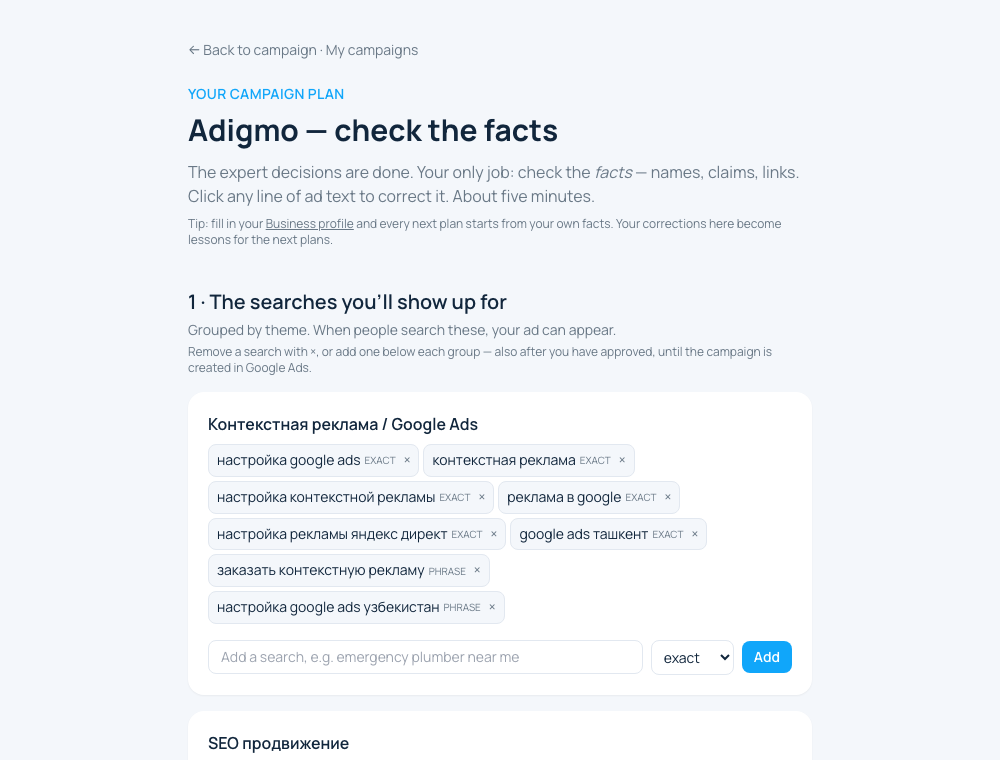
One page in plain words: what we'll advertise, where, how much per day, and the ads themselves. Correct anything; about five minutes.
4
We launch and look after them
The ads are created switched off in your own Google Ads account. You switch them on, and you can pause them any time. Results are counted for you.
Built by a Google Ads practitioner, not a black box
21 years of hands-on Google Ads practice · $400M+ of ad spend managed · the same rules that ran campaigns for the brands below


What it costs, in plain terms
Looking is free.
Enter your website, read the plan, create an account, build and check up to 3 plans — nothing is charged and nothing runs.
PivotAd is $19 a month plus 2% of what you spend on ads.
The first 14 days are free. The trial starts only when you create your first campaign in Google Ads, and you can cancel any time before you are charged.
Your advertising budget goes to Google, from a card you add in Google Ads.
You choose the amount per day and change it whenever you like. PivotAd never sees that card.
Prices exclude VAT, which is added at checkout where it applies to your country.
Questions people ask before they start
Can anything go live without my approval?
No. A campaign is only created after you approve it on the review page, and it is created paused. You activate it yourself from the campaign page, and you can pause it there at any time.
Do I need a Google Ads account?
Yes, but it takes a minute. When your first plan is approved, PivotAd creates one in your name — or you link an account you already have with its 10-digit customer ID. An account PivotAd creates is a real Google Ads account in your own name: Google emails you an invitation to be its administrator, and you add the payment method in Google Ads yourself. Nothing can spend until you do that and switch a campaign on.
How much does it cost?
The website analysis is free and needs no account. Inside PivotAd, building and reviewing up to 3 campaign plans costs nothing. Creating a campaign in your own Google Ads account puts you on Pro — $19 per month plus 2% of the ad spend of the campaigns PivotAd created — and Pro starts with a 14-day free trial, so your card is charged only after it and there is no spend fee during the trial. Your advertising budget is always billed by Google inside your own Google Ads account, never through PivotAd. Cancel any time on the Plan & billing page.
Does PivotAd change my campaigns without asking me?
No. PivotAd changes nothing on its own. It reads the numbers from your Google Ads account every night and shows them to you; every edit — budget, searches, ad text, pausing — is a click you make. If Google rejects an ad when the campaign is created, we bring the plan back to you instead of changing it ourselves.
Can I cancel?
Yes, any time, on the Plan & billing page — no notice period. Your campaigns keep running in your own Google Ads account, which stays yours; you can pause them there or in PivotAd. Nothing is charged after the day you cancel.
See the ads PivotAd would run for you
Free · no account needed · about two minutes